Fubon Life Insurance • Shipped 2024
Streamlining online self-service for true digital independence
Fubon Life Insurance launched its app decades ago, used by over 2.5 million policyholders. The app’s rating dropped due to poor navigation, an outdated experience, and performance issues. I restructured the information architecture, streamlined key user flows, and refreshed the UI to create a faster and clearer self-service experience.
ROLE
Senior UI Designer
TIMELINE
6 months, 2024
TEAM
1 Project Manager
1 Design Lead
1 User Researcher
1 Senior UI Designers (me)
1 UX Designers
1 UI Designers
PROJECT TYPE
App Design
Insurance
WHAT I DID
• Led the concept proposal and prototype with UX designers to support leadership alignment and buy-in on the new direction
• Redesigned the UI to align with the brand and built a reusable design kit to improve consistency and speed up design–dev handoff.
• Conducted 8 usability tests with User Researcher and UX Designer to validate key flows and iterated based on findings.
IMPACT
The new information architecture improved discoverability and self-service through clearer navigation, personalized policy information, and 35+ streamlined policy management flows. After launch, the app rating increased from 2.3 to 4.0 (+1.7 points), with users praising the modern UI, clear content and better readability.
OUTCOME
Built a personalized policy self-service experience that helps users find information faster and complete end-to-end applications online
PROBLEM FRAMING
Policyholders faced a fragmented self-service experience from discovery to policy management and transactions
We ran a journey-based expert audit informed by internal feedback and a review of the existing flows, then identified the key pain points in the current experience that blocked task completion.
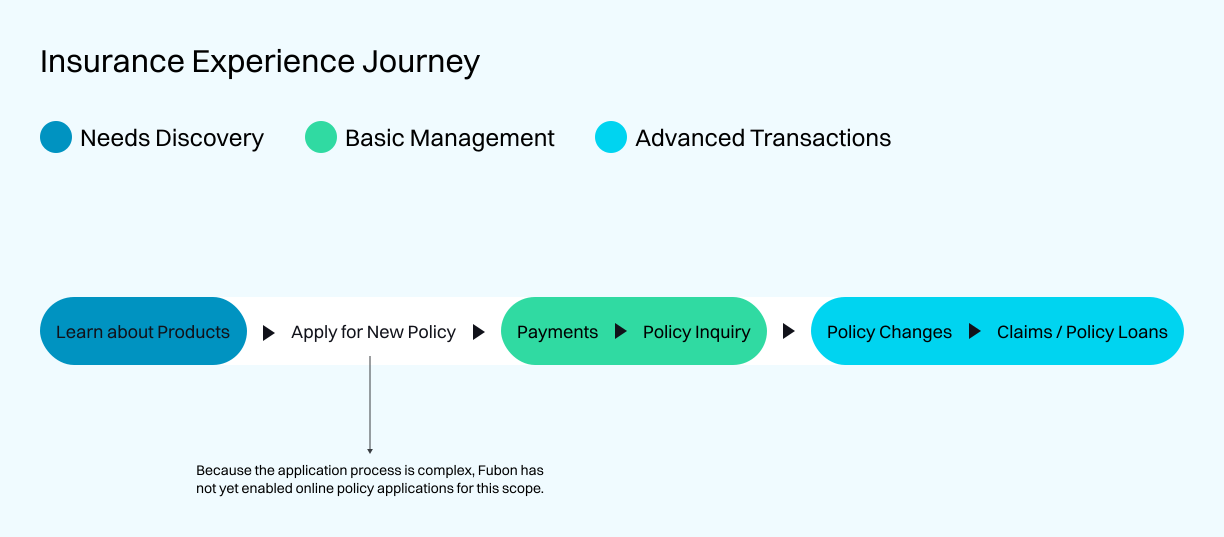
KEY PAIN POINTS:
1. Needs Discovery
Users couldn’t identify protection gaps or understand relevant products, and the app offered limited guidance on what to do next.
Basic Management
Information was buried under deep hierarchy, making core policy details and payment status hard to find and understand.
Advanced Transactions
Similar information and steps were fragmented across flows, reducing transparency and making progress hard to track during applications.
DESIGN PRINCIPLE
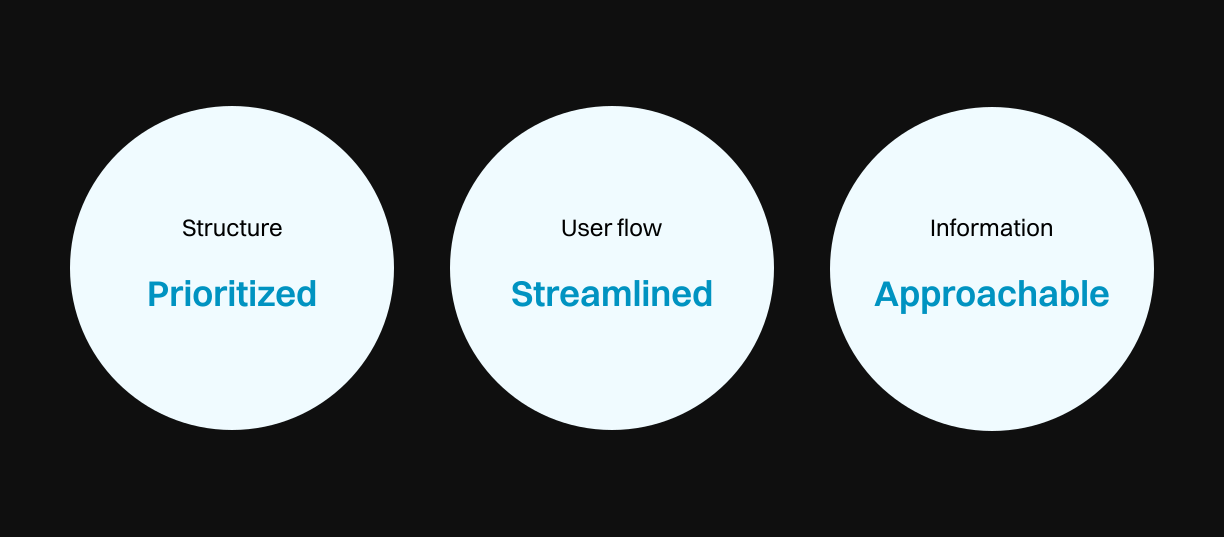
Prioritize key functions, streamline journeys, and clarify information at every step
I set three policyholder-centered design principles to keep the revamp focused and boost engagement : prioritized, streamlined, and approachable.
DESIGN PROCESS • INFORMATION ARCHITECTURE
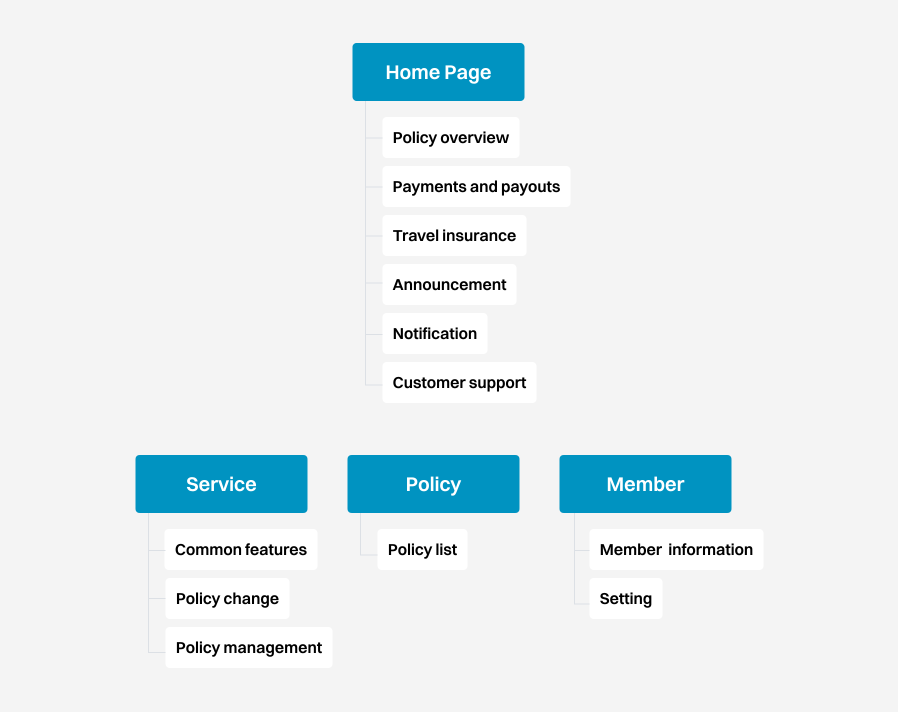
Restructured IA by user scenarios, then prioritized by usage and business value
Using function usage data and business value, I redesigned the information architecture and feature order across 166 functions to balance user needs with business goals.
DESIGN PROCESS • IDEATION
Big picture first, details when needed
I partnered with a UX designer to explore a goal-oriented concept that better matched our design direction. We then unified fragmented policy information and prioritized what matters most, so policyholders can get a clear overview first and dive into details.
Visualize Personalized Coverage
Used a dashboard to show policy overview and coverage status, helping policyholders spot gaps and take action faster.
Present services with thematic categories
Grouped services into thematic categories, prioritized by usage frequency, so users can find features faster and complete common features more efficiently.
Simplify steps and modularize the flow
Combined similar steps and broke the flow into clear modules, so each stage feels distinct and users always know where they are.
DESIGN PROCESS • ITERATION & FINAL DESIGN
Higher intent to use comes with a simpler flow that reduced calls and paperwork
Overall feedback was positive: participants rated their future usage intent 8.4/10 and found the information and key features clearer and easier to navigate. However, we also uncovered a few usability issues to address in the next iteration.
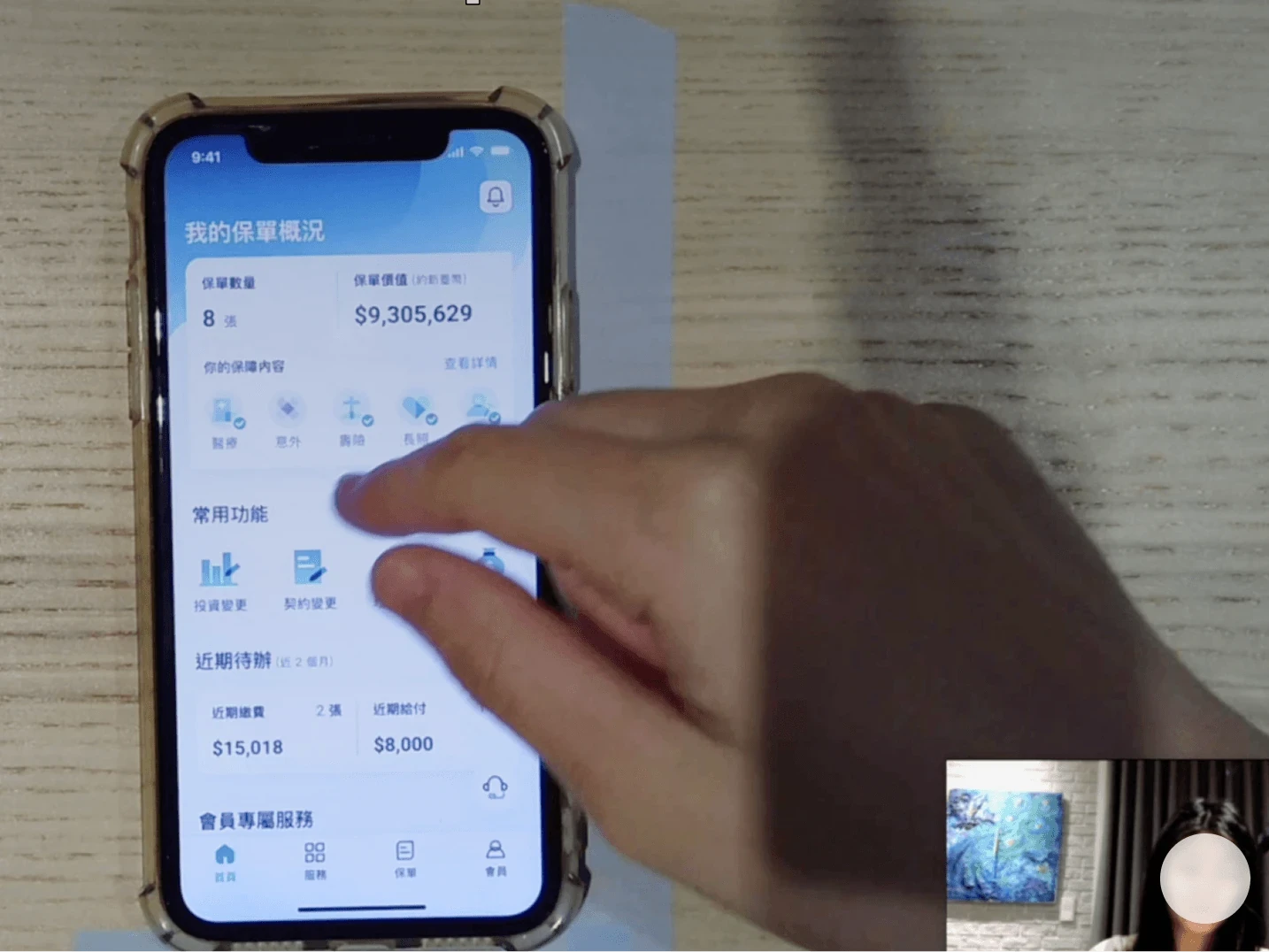
We used task-based scenarios to have policyholders interact with the app prototype, simulating real-world use..
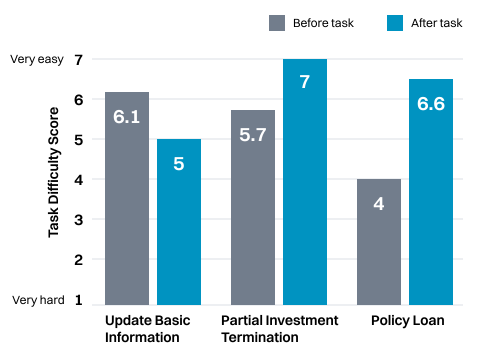
Users expected basic task to be easy to complete, but in practice the entry point was hard to find
Issue 1: Users were unsure whether tapping a icon would reveal more details for the related coverage item

💡 SOLUTION…
Improved the component and interaction cues to make the next step obvious
I replaced the icon with a text tag component, reducing ambiguity and improving the clarity of coverage status and related details.
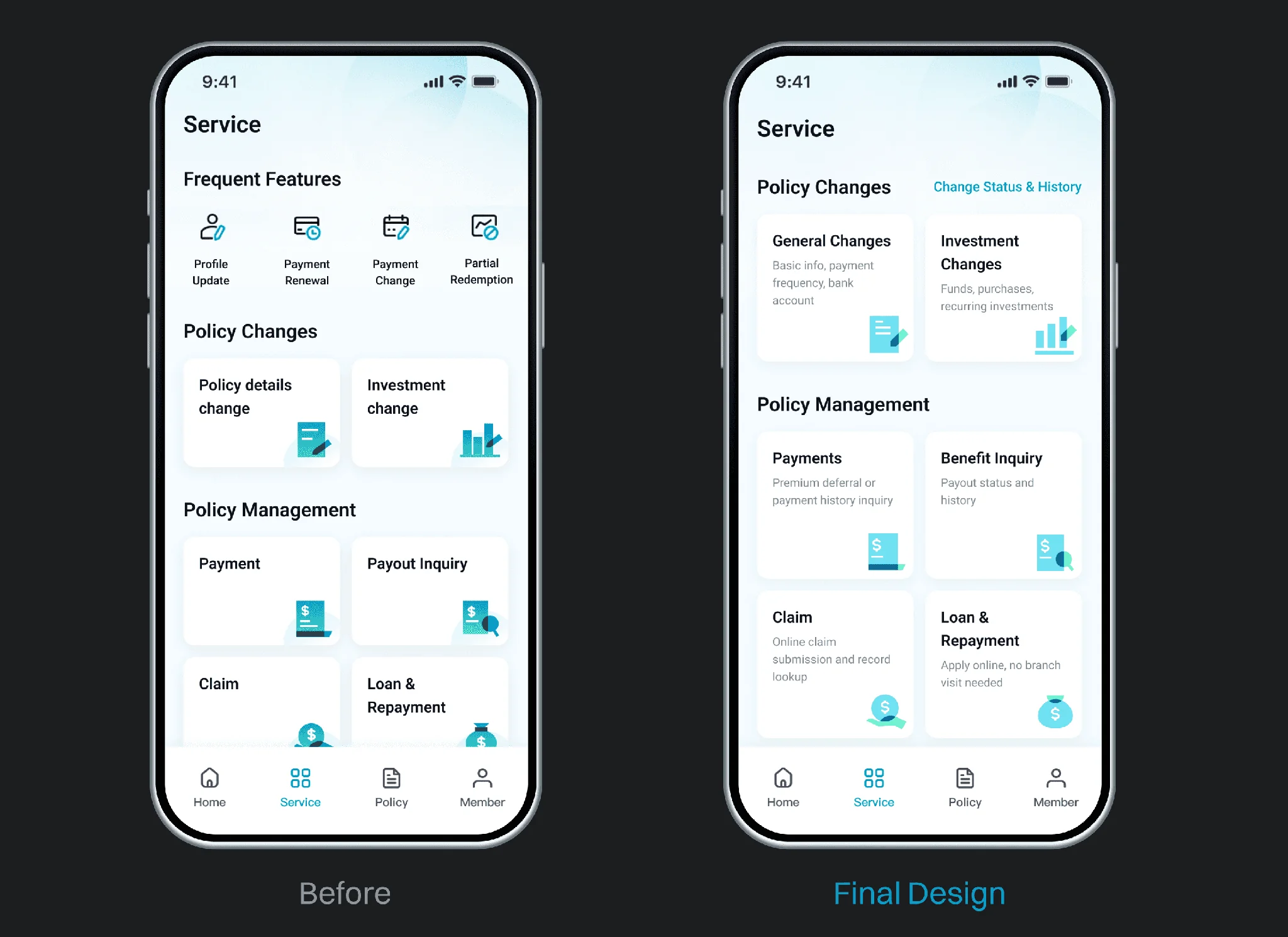
Issue 2: Users couldn’t easily tell what each service includes, and key features were hard to find
💡 SOLUTION…
Adjusted Common Features to the Homepage for quicker access, and added clear descriptions to set expectations for each service.
I made Common Features customizable on the Home screen and added short helper text under each Service entry to clarify what’s included and reduce learning effort.